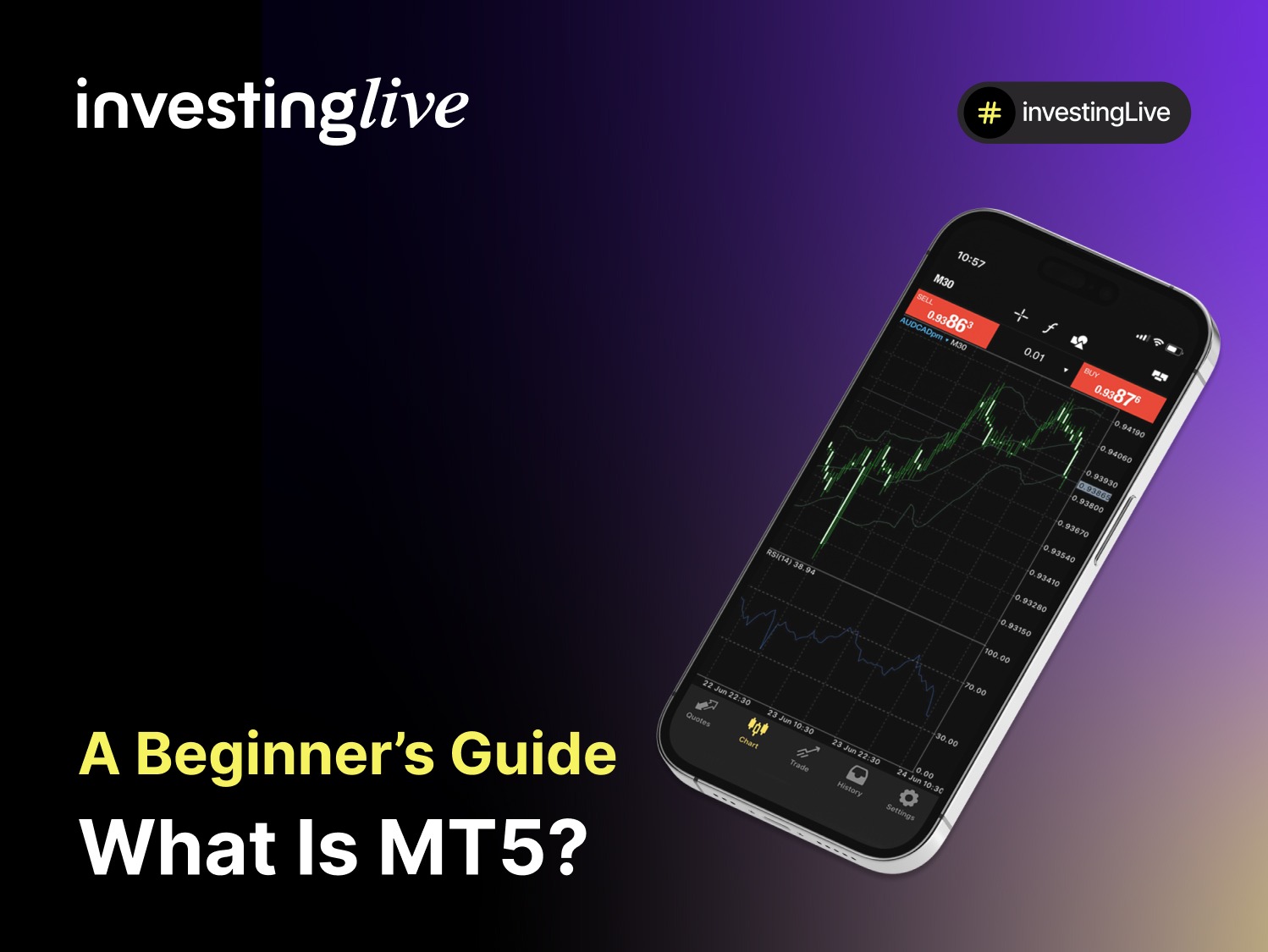
Introduction: What Is MT5?
MetaTrader 5 , often called MT5, is a trading platform created by MetaQuotes in 2010. It is the next version after MT4. While MT4 was mainly made for trading forex (foreign exchange), MT5 allows trading in many different markets such as shares, commodities, indices, futures, and cryptocurrencies, depending on the broker you use.
MT5 includes all the essential features of MT4, such as user-friendly charts and automated trading with Expert Advisors (EAs), while providing a reliable trading environment. Additionally, it offers advanced tools like 21 timeframes, an economic calendar, various order types, and improved backtesting options.
Example: A trader using MT5 can look at the S&P 500 index, set a pending buy order, establish stop-loss and take-profit levels, and even automate trades using custom algorithms, all from the same platform.
Because of its speed, flexibility, and more features, MT5 is a popular choice for traders who want to trade various asset types while still enjoying the simplicity of the MetaTrader environment.
Why MT5 Was Created
MT5 was developed to improve upon MT4 and to meet the increasing needs of traders who wanted to access more asset classes and advanced tools. Here are the main reasons MetaQuotes introduced MT5 in 2010:
Multi-Asset Trading: Unlike MT4, which focused mainly on forex, MT5 allows trading in shares, commodities, indices, futures, and cryptocurrencies, depending on your broker.
More Timeframes and Indicators: MT5 offers 21 timeframes (compared to 9 in MT4) and over 38 built-in indicators, helping traders gain better market insights.
Advanced Order Types: MT5 has added new types of pending orders, like Buy Stop Limit and Sell Stop Limit, giving traders more options for executing trades.
Faster Performance: The platform’s updated structure makes it quicker, more stable, and better for running automated trading strategies.
Economic Calendar: MT5 includes a built-in economic calendar that shows news events, helping traders keep track of important data without leaving the platform.
Regulatory and Broker Needs: MT5 supports both netting and hedging modes, making it more versatile for brokers that serve both retail and institutional clients in various asset classes.
Tip for beginners: Although MT5 offers more tools than MT4, it can feel complex initially. Start with the basics and gradually learn about the advanced features.
Key Features of MT5
MT5 enhances the foundation of MT4 by introducing additional tools, supporting a broader range of assets, and improving performance. Here are its most important features:
Multi-Asset Support: You can trade forex, shares, indices, commodities, futures, and cryptocurrencies, depending on your broker.
Expanded Charting Tools: MT5 offers 21 timeframes (compared to 9 in MT4), over 38 built-in indicators, and 44 graphical tools. You can also open unlimited charts at once.
Advanced Order Types: Along with standard market and pending orders, MT5 supports:
Buy Stop Limit
Sell Stop Limit
This allows for more precise trade setups.
Economic Calendar Integration: Stay informed about news releases, forecasts, and economic events directly within the platform.
Faster Backtesting: MT5 has a multi-threaded strategy tester, which allows for quicker and more accurate backtesting of trading strategies.
Netting and Hedging:
Netting mode: Common in stock and futures markets (only one position per instrument).
Hedging mode: Allows multiple positions (both long and short) on the same asset, which is popular among forex traders.
Automated Trading with EAs: Just like MT4, MT5 supports Expert Advisors (EAs), but they are written in MQL5, a more advanced programming language that offers greater flexibility.
Multi-Device Access: MT5 can be used on Windows, Mac (using emulators), web browsers, Android, and iOS, allowing traders to manage trades wherever they are.
Example: A trader analyzing gold on MT5 could open multiple charts with different timeframes, apply indicators like MACD and RSI, set a Buy Stop Limit order, and track U.S. economic news all from the platform.
How to Download and Set Up MT5
Getting started with MT5 is easy. Follow these steps to set up the platform:
Step 1 – Choose a Broker:
Open an account with a regulated broker that offers MT5. Not all brokers support MT5, so check if they do before registering.
Step 2 – Download the Platform:
Go to your broker’s website for a direct download link or download it from the official MetaQuotes website. You can find versions for desktop, web, and mobile.
Step 3 – Install MT5:
Run the installer and follow the instructions on your screen. After installation, open MT5 from your desktop or device.
Step 4 – Log In to Your Account:
In MT5, go to File > Login to Trade Account. Enter your broker’s server, account number, and password. You can choose between a demo (practice) account or a live (real money) account.
Step 5 – Explore the Interface:
Key sections include:
Market Watch: Shows live quotes of instruments.
Navigator: Provides quick access to accounts, indicators, and Expert Advisors.
Toolbox (Terminal): Shows your trade history, alerts, news, and account details.
Step 6 – Start with a Demo Account:
Before risking real money, practice on a demo account. This allows you to test strategies with virtual funds in real market conditions.
Beginner Tip: Use the demo account to practice both manual trading and automated strategies before trading with real money.
How to Use MT5 to Trade – Step by Step
Once your MT5 platform is set up, you can start trading. Here’s how to do it:
Step 1 – Select a Market:
Open the Market Watch panel and choose an instrument (e.g., EUR/USD, Gold, Apple shares, or Bitcoin).
Step 2 – Open a Chart:
Right-click on the instrument and select “Chart Window.” Customize it with indicators, drawing tools, and different timeframes.
Step 3 – Place an Order:
Click the New Order button or press F9. In the order window, you can:
Select the instrument.
Choose lot size (trade volume).
Set stop-loss and take-profit levels.
Pick the order type (Market Order or Pending Order).
Step 4 – Execute the Trade:
Buy: If you think the price will rise.
Sell: If you think the price will fall.
Your trade will show up in the Toolbox (Terminal) window.
Step 5 – Manage the Trade:
You can adjust stop-loss and take-profit levels directly on the chart. You can also add trailing stops to secure profits as the price moves. Close positions manually with a single click.
Step 6 – Analyze Results:
Check your performance in the History tab. Review wins, losses, and strategy outcomes to improve over time.
Example: You believe Apple shares will increase. You execute a buy order at $180 with a stop-loss at $175 and a take-profit at $190. MT5 will automatically track the position and close it when one of your targets is reached.
Beginner Tip: Use MT5’s built-in economic calendar to avoid entering trades just before major news events, which can cause sudden price changes.
Advantages of Using MT5
MT5 offers numerous advantages compared to MT4, including more features, speed, and flexibility. Here are the main advantages:
Multi-Asset Trading: MT5 supports not only forex but also shares, futures, commodities, indices, and cryptocurrencies, depending on your broker.
More Charting Options: With 21 timeframes and unlimited charts, traders can analyze markets in much greater detail.
Additional Order Types: MT5 includes advanced pending orders like Buy Stop Limit and Sell Stop Limit, allowing for more precise trade setups.
Faster Strategy Testing: The multi-threaded strategy tester makes backtesting automated trading systems quicker and more accurate than in MT4.
Economic Calendar Integration: Stay updated on important events and news releases without leaving the platform.
Netting and Hedging: MT5 supports both netting (common in stock and futures trading) and hedging (allowing multiple positions on the same instrument).
Better Programming Language: MT5 uses MQL5, which is more powerful than MQL4, making it easier to create complex trading robots and indicators.
Example: A trader using MT5 could run automated strategies on forex while also analyzing stock CFDs and commodities, all from the same platform.
Limitations of MT5: While MT5 has many powerful features, it also has some drawbacks that traders should keep in mind:
Learning Curve: Because MT5 has more tools and features than MT4, beginners might find it overwhelming at first.
Broker Availability: Not all brokers support MT5. Many still prefer MT4 due to its popularity, which can limit your choices.
Compatibility Issues: MT5 is not compatible with MT4. This means indicators, scripts, and Expert Advisors (EAs) made for MT4 cannot be used on MT5.
Community Size: Although MT5 is becoming more popular, the MT4 community is still larger, providing more third-party tools and tutorials.
Netting Mode Limitations: For traders who utilize hedging strategies, netting mode can be restrictive when trading shares or futures.
Hardware Requirements: MT5 requires more resources than MT4. Older devices may run slower.
Tip for beginners: If you’re just starting, MT4 might seem simpler, but if you want access to stocks, futures, and advanced features, MT5 is the better long-term choice.
Who Uses MT5?
MT5 is popular among various traders and institutions seeking access to multiple asset markets and advanced tools. Here are the main groups:
Forex and CFD Traders Expanding to Other Assets: Retail traders who started on MT4 often switch to MT5 when they want to trade stocks, commodities, indices, or futures alongside forex.
Experienced Traders: Those who need faster execution, more timeframes, and advanced order types prefer MT5 for its expanded capabilities.
Algorithmic Traders: MT5’s MQL5 language allows for the creation of more complex trading robots and indicators, making it popular among quantitative traders and developers.
Institutional Traders: Brokers and firms that offer multi-asset accounts rely on MT5’s netting mode, which is useful for traders in futures and stock markets.
Beginners Who Want to Grow Long-Term: While MT5 may seem more complex than MT4, many beginners choose it if they plan to trade in multiple markets without needing to switch platforms later.
Example: A retail forex trader may start on MT4 but switch to MT5 when they want to trade U.S. stocks or commodities using the same account.
MT4 vs MT5: Key Differences
Although MT5 was designed to be the successor to MT4, the two platforms have several important differences:
Key Takeaways:
MT4 is simpler and is often the standard choice for beginners focusing on forex.
MT5 offers more markets, features, and performance, making it better suited for traders who want to work with multiple assets and advanced strategies.
Despite MT5’s improvements, MT4 continues to be popular among retail forex traders due to its familiarity and larger community.
Tip for traders: If your main goal is forex trading, MT4 may be sufficient. However, if you want to trade multiple asset classes or use advanced tools, MT5 is the better option.
Quick Glossary of MT5 Terms
MT5 (MetaTrader 5): A multi-asset trading platform developed by MetaQuotes that supports forex, stocks, indices, commodities, futures, and cryptocurrencies.
Market Watch: The panel in MT5 that shows live bid/ask prices for available instruments.
Toolbox (Terminal): The bottom panel that displays open trades, trade history, alerts, news, and account details.
Lot: The standardized trade size in forex. One standard lot equals 100,000 units of the base currency.
Pip: The smallest unit of price movement in forex (usually 0.0001 for most pairs).
Expert Advisor (EA): An automated trading bot written in MQL5 that executes trades based on predefined strategies.
Indicators: Technical tools (e.g., RSI, MACD, Bollinger Bands) used to analyze price action and market trends.
Stop-Loss (SL): A preset level where a trade will automatically close to limit losses.
Take-Profit (TP): A preset level where a trade will automatically close to secure profits.
Netting Mode: A system that combines all trades of the same instrument into a single position (common in stock and futures trading).
Hedging Mode: A system that allows multiple positions in the same instrument (both long and short simultaneously).
Backtesting: Testing a trading strategy against historical data in MT5’s strategy tester.
VPS (Virtual Private Server): A remote server that runs MT5 continuously, often used for automated trading strategies.
Example Trade on MT5
Let’s go through two simple trading scenarios on MT5.
Example 1: A Winning Trade
Setup: You analyze gold (XAU/USD) and expect the price to rise.
Action:
Place a buy order at $1,900 with 1 lot.
Set a stop-loss at $1,890 and a take-profit at $1,920.
Outcome: The price rises to $1,920, triggering your take-profit.
Result: Profit = $20 × 100 (lot size) = $2,000 gain.
Example 2: A Losing Trade
Setup: Same market, gold (XAU/USD).
Action:
You place a buy order at $1,900 with a stop-loss at $1,890.
Outcome: The price falls to $1,890, hitting your stop-loss.
Result: Loss = $10 × 100 (lot size) = $1,000 loss.
Lesson: MT5 makes it easy to manage risk through stop-loss and take-profit levels. The platform automates exits, helping traders avoid emotional decision-making.
Final Thoughts / Next Steps
MT5 is a powerful trading platform that builds on MT4 with more markets, advanced tools, and faster performance. It is designed for traders who want to go beyond forex and access various asset classes such as shares, indices, commodities, futures, and cryptocurrencies.
If you’re thinking about using MT5, here’s the best way to get started:
Start with a demo account: Practice with virtual funds to learn the platform’s features without any risk.
Learn step by step: Focus on order types, charting, and basic indicators before exploring advanced tools.
Use risk management: Always trade with stop-loss orders and limit your risk to a small percentage of your account.
Explore automation carefully: MT5’s Expert Advisors (EAs) can be powerful, but they should be tested thoroughly before using them on live accounts.
Pick a regulated broker: Your trading experience depends a lot on your broker’s reliability and spreads.
MT5 might seem more complex than MT4 at first, but with practice, it can become a versatile platform that enhances your trading experience.
Legal disclaimer
This content is for educational purposes only. Nothing on this page is financial advice or a solicitation to buy or sell any security, derivative, or trading platform. Trading involves risk. Past performance does not guarantee future results. Always verify broker licensing with official regulatory authorities.
Continue Your Trading Journey
If you’re ready to learn about trading models, check out our next guide, "What Is ECN Trading – A Beginner’s Guide," which explains how Electronic Communication Network (ECN) trading works, how it differs from traditional brokerage models, and the steps to start trading safely.
If you want to invest on MT5 with low spreads and fast execution, choosing the right partner is crucial. Visit our "Best MT5 Brokers of 2025" page for a comparison of trusted brokers that offer MetaTrader 5 accounts.
Beginner FAQ
What is MT5 and how does it work?
MT5 (MetaTrader 5) is a multi-asset trading platform that connects to your broker’s servers. It allows you to trade forex, stocks, indices, commodities, futures, and cryptocurrencies. You can place orders, analyze charts, and even automate strategies with Expert Advisors (EAs).
Is MT5 good for beginners?
Yes. MT5 is beginner-friendly with demo accounts, an easy-to-use interface, and built-in tools. However, its many features may seem overwhelming at first compared to MT4.
Is MT5 free to use?
Yes. MT5 is free to download and install. You only pay trading costs such as spreads, commissions, or overnight fees through your broker.
Is MT5 trading safe?
The platform itself is safe, but your trading security depends on choosing a regulated broker. Always check licensing with financial authorities before opening an account.
Is MT5 better than MT4?
MT5 offers more timeframes, order types, and asset classes than MT4. It’s better for traders who want to trade multiple assets, while MT4 is still popular among beginners focused on forex.
Can I trade equities on MT5?
Yes. Unlike MT4, MT5 allows trading stocks (usually via CFDs) and futures, depending on your broker.
Does MT5 work on mobile?
Yes, MT5 offers official applications for both iOS and Android, allowing you to keep track of your investments and execute trades conveniently while you’re on the move.
Does MT5 support automated trading?
Yes. MT5 allows Expert Advisors (EAs) written in MQL5, a powerful programming.